
How It Works
Built around the way you teach
Formly follows the same rhythm as your week, plan the class, run the class, grow from there. No new workflow to learn, just less friction in the one you've got.
100+
Pilates exercises in the library
20+
Starter plans ready on day one!
1st Aug 26’
Launch date
Stage 1
Plan
Everything you need to build a class lives in one place, your dashboard, your exercise library, and your schedule.
-
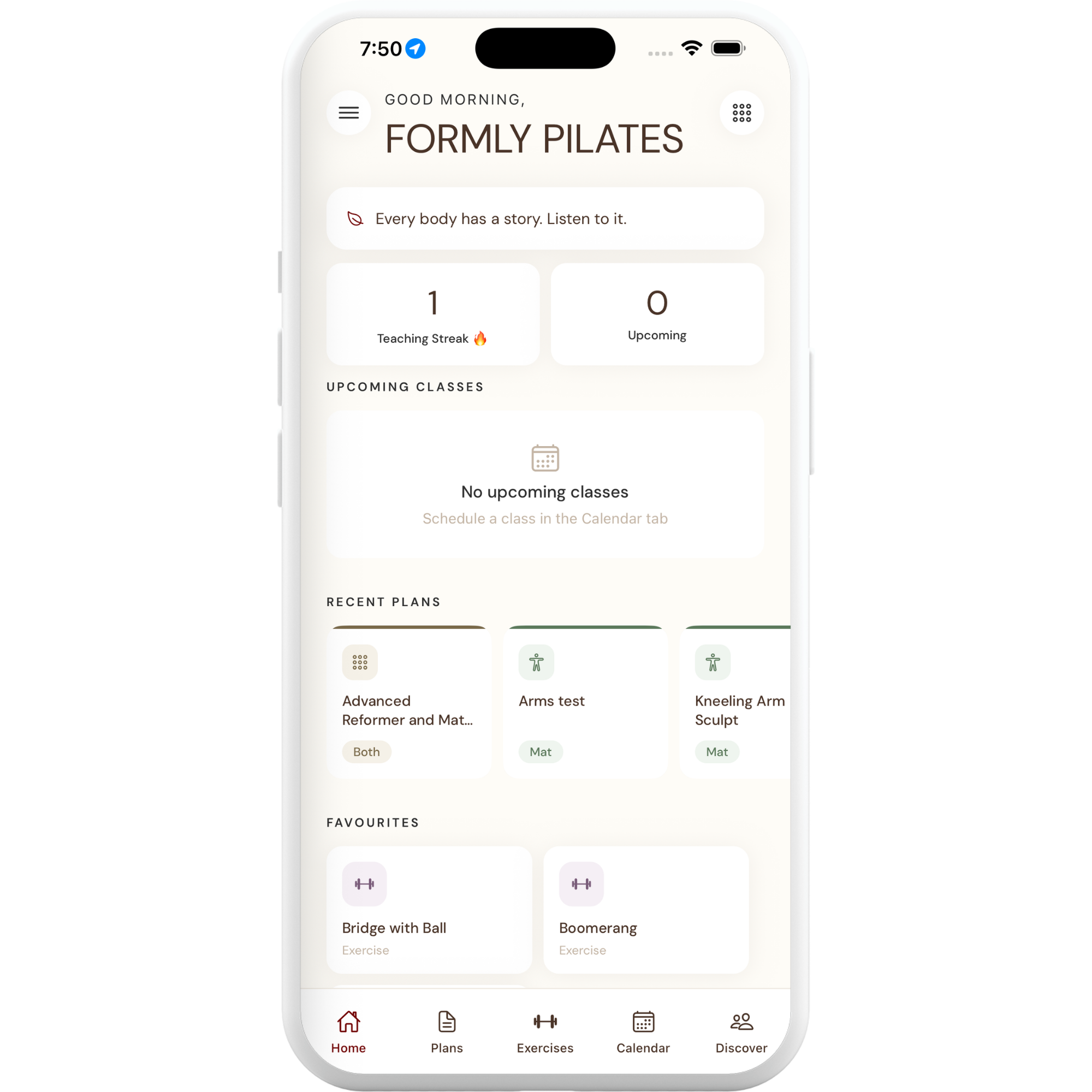
Home
Your personalised dashboard. Upcoming classes, recent plans, day streak, and quick actions all in one place, the moment you open the app.
-
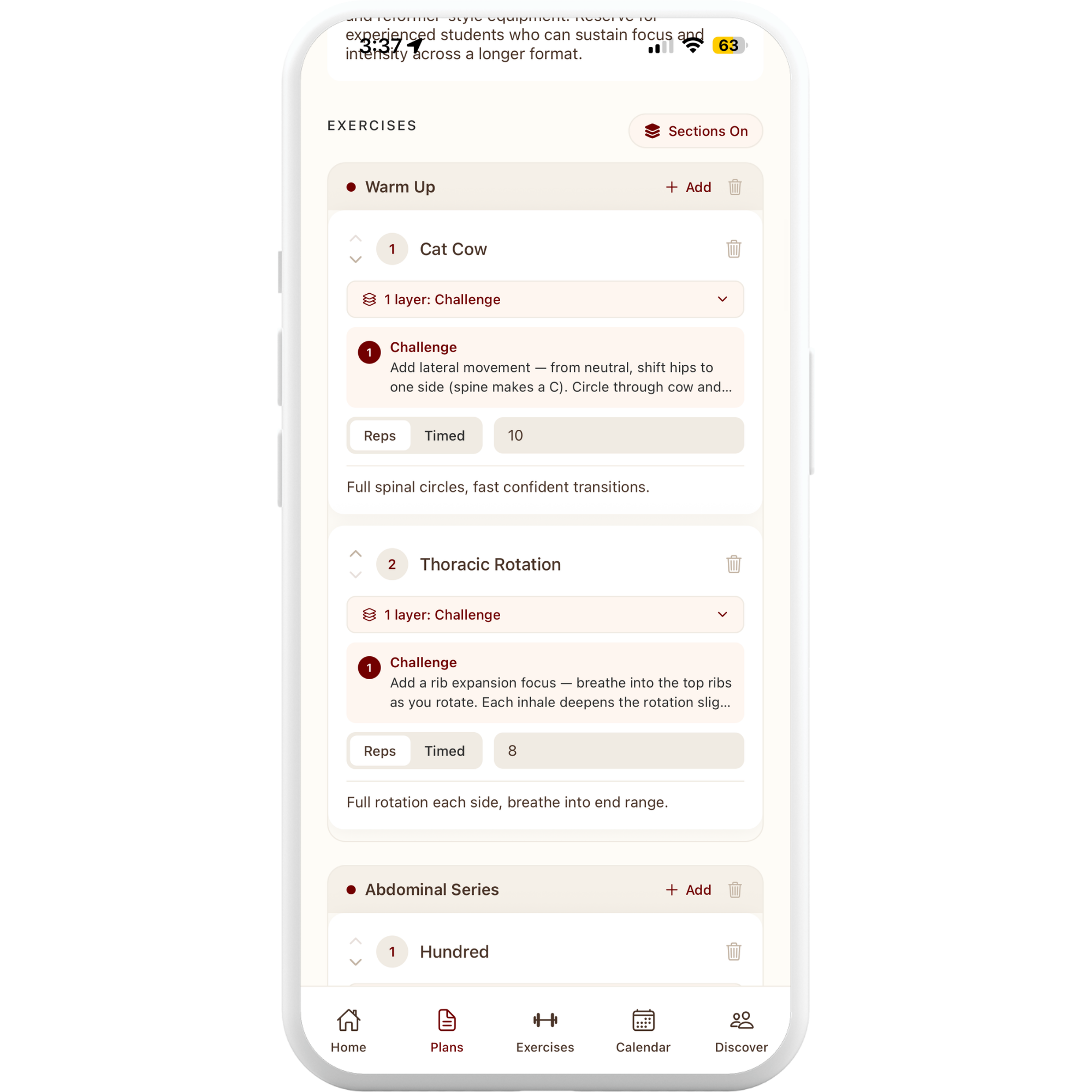
Building/ Viewing a Plan
Open any plan and see your full class at a glance, exercises, reps, layered progressions, cues, and modifications, right there on screen.
-
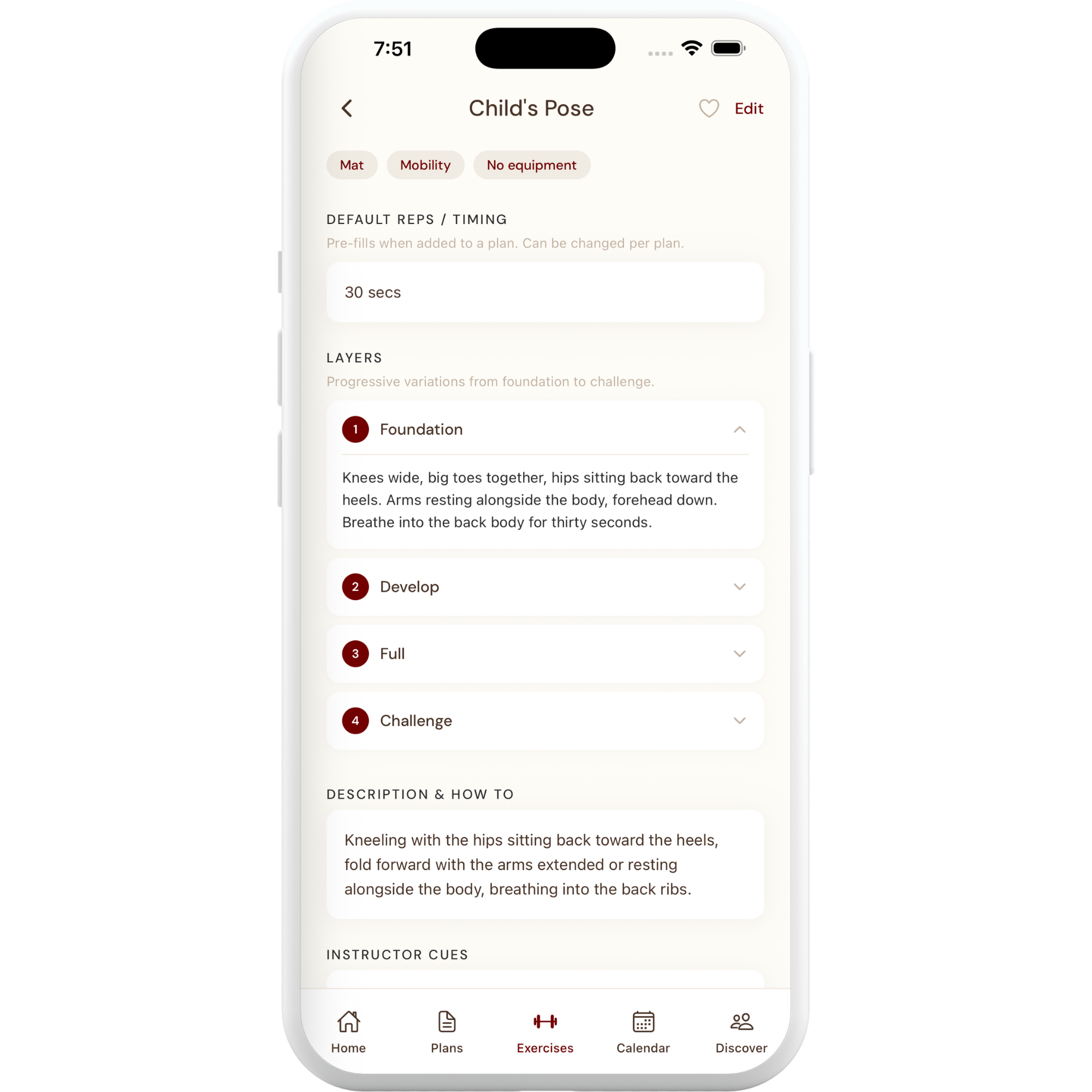
Exercises
Browse a built-in library of exercises, each with layered progressions from Foundation through to Challenge. Pick the right level for your class.
-
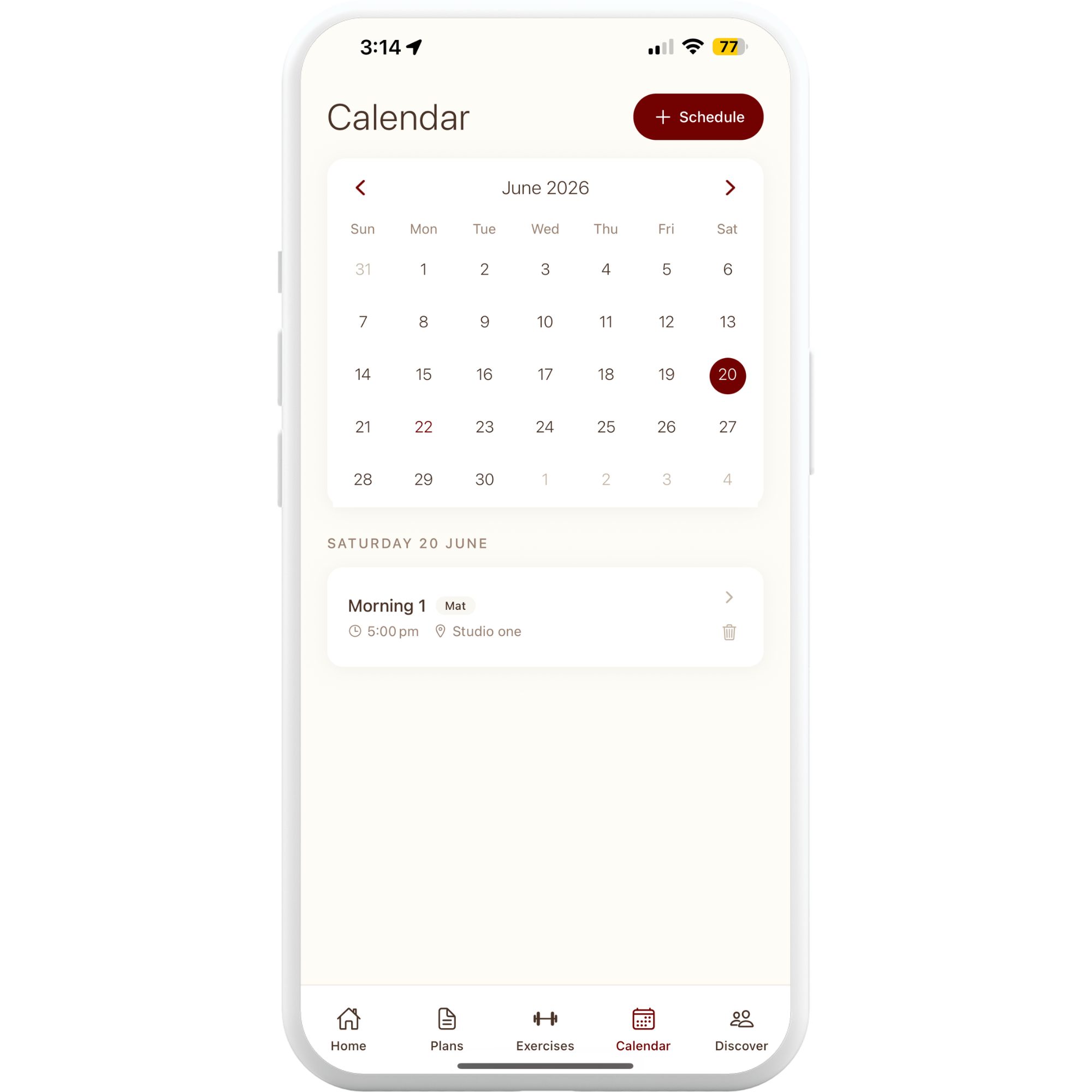
Calendar
Schedule your classes and see everything coming up at a glance. Link each class to a plan and a studio so nothing slips through.
Stage 02
Teach
When it's time to run the class, Formly steps back and lets you stay present.
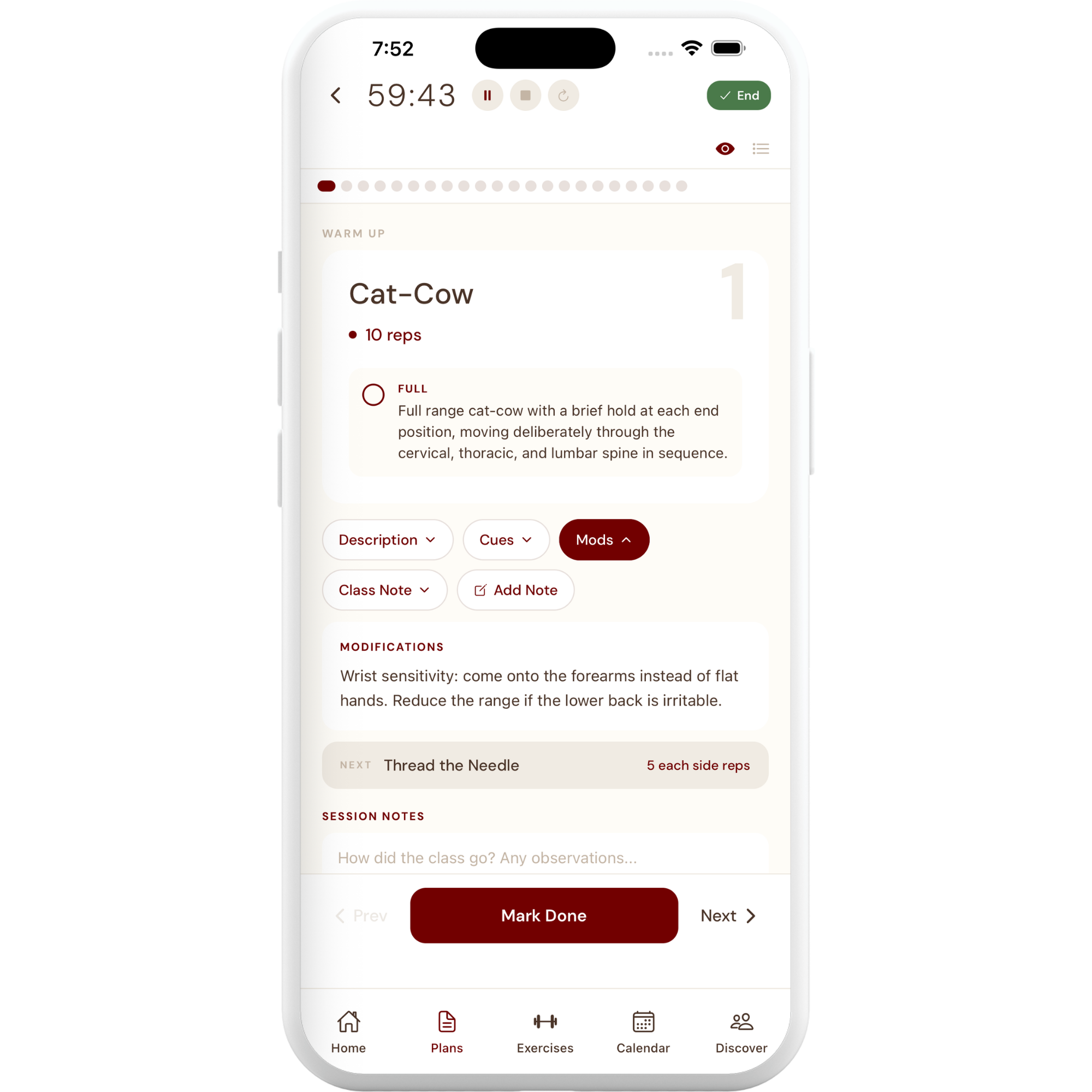
Teaching mode
One tap, and you're live.
Run your class directly from the app. A live timer, exercise-by-exercise view, client reminders, and class notes keep you focused on the room, not flipping between notepads.
Stage 03
Grow
The app grows with you, and with the instructors around you.
-
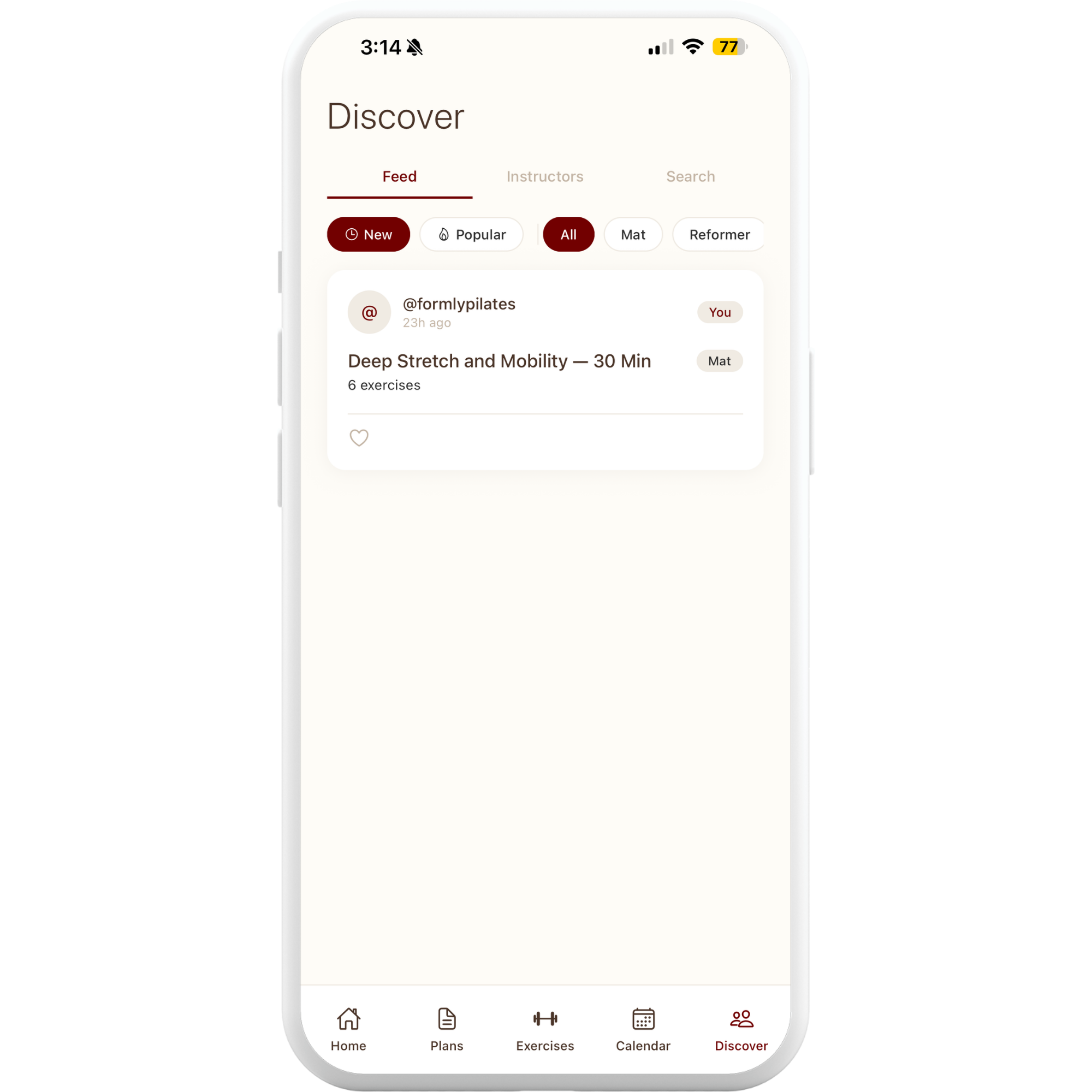
Discover
Follow other instructors, browse shared plans, and grow alongside a community of teachers. The more Formly grows, the more there is to discover.
-
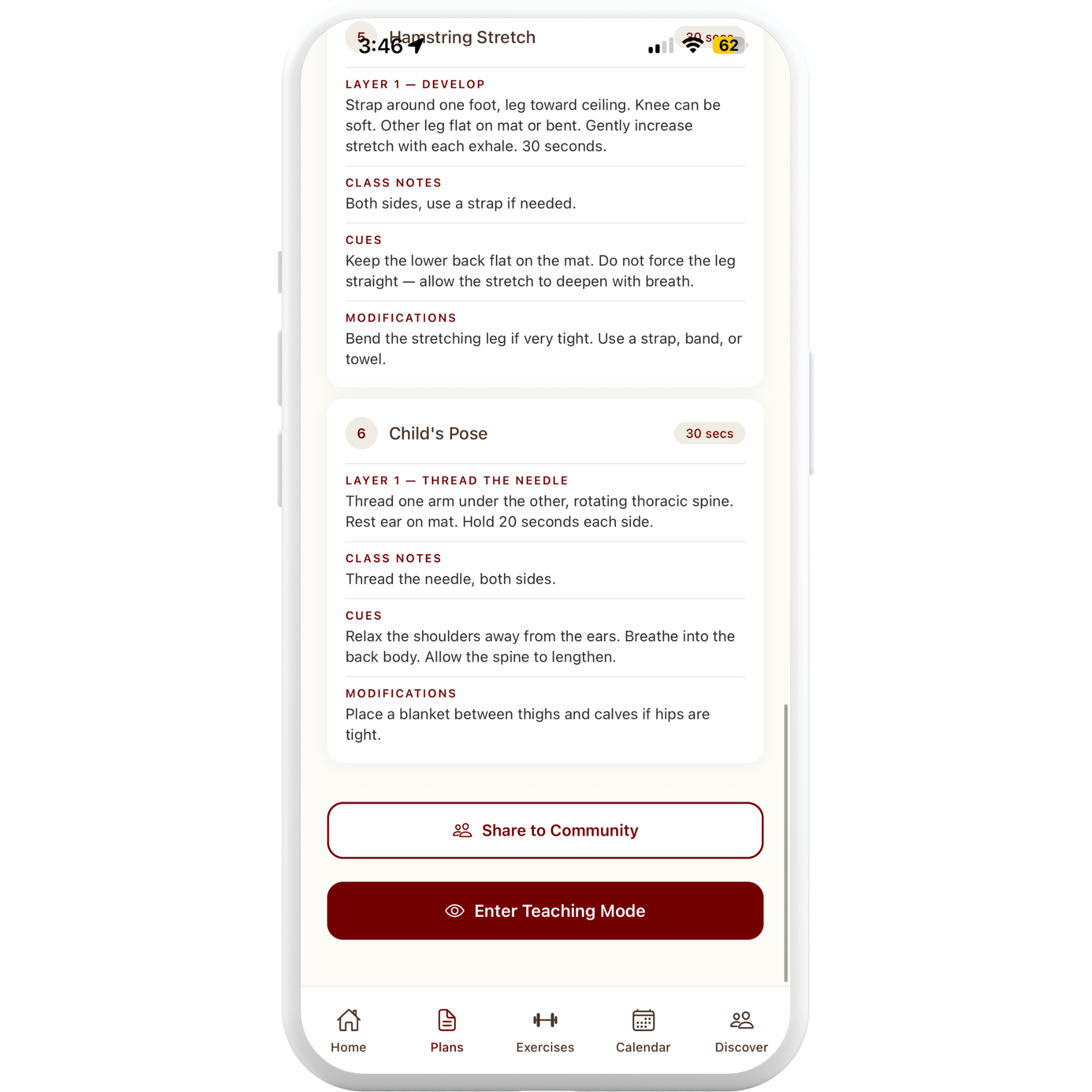
Share to Community or Enter Teaching Mode
When your plan is ready, share it with the Formly community, or jump straight into teaching mode. Either way, you're one tap from live.